
Make Your Payment
Follow the steps below to make your payment. We will guide you through the simple process of paying for your subscription or renewal. (You’ll find a video tutorial at the bottom of this page for more assistance.)
Step 1:
Go to:
Step 2:
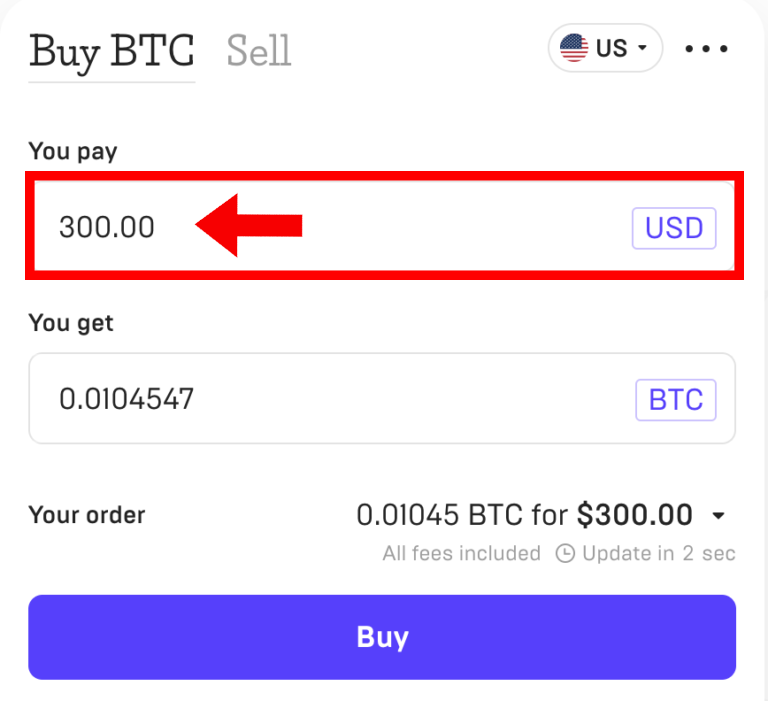
In the first field, type the price of your subscription.
1 Month: $27 USD
3 Months: $37 USD
6 Months: $48 USD
12 Months: $86 USD
Step 3:
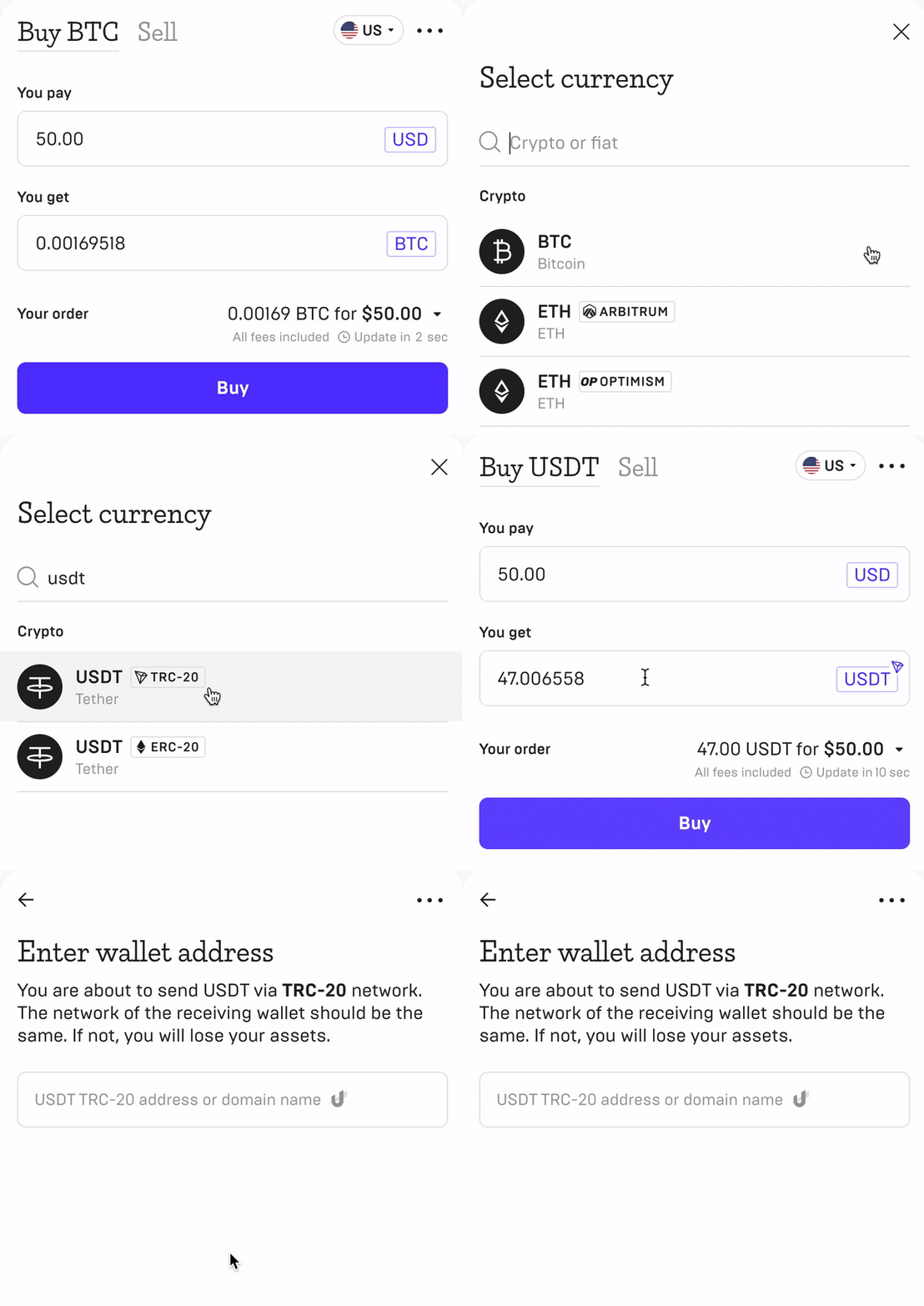
In the 2nd field, replace “BTC” with “USDT TRC-20”
Step 4:
Copy this Wallet address and paste it into the page that comes next.
USDT TRC-20 Wallet Address
Step 5:
Select your preferred method of payment and continue the payment process as usual. After the email verification you’ll be redirected to the payment page, Make your payment and send us a screenshot of the payment confirmation.